
Editorial note: Star and case counts in this article are snapshots as of April 28, 2026 and will move as the project ships. All claims about the freestylefly repo are drawn from the public awesome-gpt-image-2 repository; verify against the latest README before adopting it for a production workflow. Primary documentation in the repo is bilingual but Chinese-first.
OpenAI shipped GPT Image 2 on April 21, 2026, and the model is genuinely exceptional. Roughly 99 percent character-level text accuracy, 4K output, reasoning-driven generation, and the top spot on the LMArena image leaderboard. (Source: Introducing ChatGPT Images 2.0, OpenAI.) Most coverage stops there. The question almost no one's answering is what your prompt layer should look like for a model this capable.
This post walks through freestylefly's awesome-gpt-image-2, one of at least six GitHub repos with that name and the only one structured as "Prompt as Code." We cover what it is, what makes it different from the other awesome-lists, why structured prompts matter more in 2026 than they did in 2024, and how to wire one of its templates into a real workflow in about ten minutes. If you've already read three "best GPT Image 2 prompts" listicles this month, this is the one that covers the format the others skip.

TL;DR: freestylefly's awesome-gpt-image-2 (github.com/freestylefly/awesome-gpt-image-2, 1.6k stars, MIT-licensed) is one of at least six "awesome-gpt-image-2" repos on GitHub and the only one organized as Prompt-as-Code: 361 reverse-engineered cases plus 13 industrial templates broken into atomic schemas (composition, lighting, material, layout) that agents and scripts can call directly. Pick it when you are integrating GPT Image 2 into a workflow, not browsing for one-off creative prompts.
What Is awesome-gpt-image-2, and Which One Should You Use?
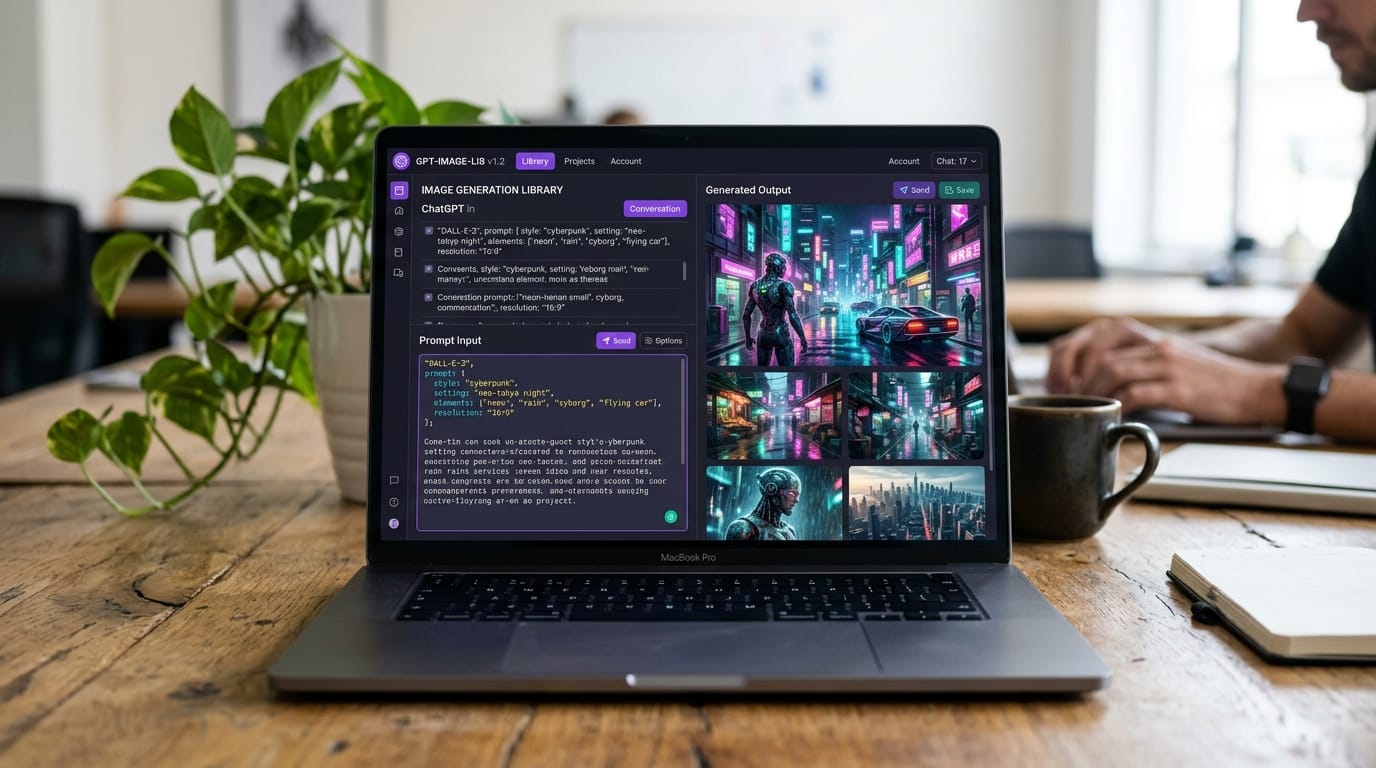
"awesome-gpt-image-2" is not one repository. It is a category. As of late April 2026 there are at least six GitHub projects using that name, each curating prompts and examples for OpenAI's new model. They differ in scope, in language, and in how they organize their content. The freestylefly version is the most structured of the group, with 1.6k stars, 277 forks, 361 reverse-engineered cases, and 13 industrial-grade templates, all under an MIT license. (Source: freestylefly/awesome-gpt-image-2 README.)
The maintainer (苍何/Canghe) describes the project as a "Prompt-as-Code" engine rather than a prompt collection. That phrase is doing real work. Most of the other repos in the family are flat lists you scroll through to find inspiration. This one is built so you can fill in a schema, hand it to the API, and get a deterministic output. It's the difference between a Pinterest board and a design system.
The other major variants are worth knowing about so you can pick correctly. YouMind-OpenLab's awesome-gpt-image-2 is broader and multilingual, with 2,000-plus prompts across 16 languages, but the structure is flatter. ZeroLu's awesome-gpt-image is creator-curated from X posts, which makes it visually richer but harder to automate against. EvoLinkAI, Anil-matcha, and gpt-image2's variants sit between the two poles. The freestylefly project is the agent-ready pick of the family.
What Does "Prompt as Code" Actually Mean?
Prompt-as-Code is the practice of writing image prompts as structured schemas instead of prose paragraphs. A traditional prompt reads like a sentence. A Prompt-as-Code prompt reads like a config file: composition, style, lighting, material, layout, with explicit ratios, module counts, and constraint fields. The format is reusable across runs, version-controllable in Git, and callable from a script or an agent without further parsing.
The reason this pattern is suddenly worth caring about in 2026 is that GPT Image 2's reasoning pipeline can self-check structured constraints during generation. (Source: OpenAI ChatGPT Images 2.0 announcement.) When the constraints are spelled out as schema fields, the model can verify them. When they're buried in a prose paragraph, it has to infer them. Structured input gets you closer to deterministic output, and deterministic output is what marketing operations and product teams actually need.
The cleanest analogy is the front-end shift from inline styles to design tokens. Both moves trade a little bit of expressive flexibility for a large gain in reusability, automation, and team coordination. freestylefly's 13 industrial templates are essentially design tokens for image generation: each one defines structure constraints (ratios, layouts, module counts) and style and material specifications, and you fill in the variable bits.
How Are the 361 Cases Organized?
The 361 reverse-engineered cases are split across seven visual domains, with a clear weighting toward design and information tasks. Posters and Typography lead at 69 cases, followed closely by UI and Interface Design (68) and Information Visualization (52). Photography and Realism (29), Architecture and Space (25), Product and E-commerce (19), and Characters and Portraits (12) round out the set. The cases are split into two gallery files (Parts 1 and 2) for browsing speed.
The skew matters when you're picking a repo. If you're generating product photography or character portraits at scale, you'll hit the limits of this collection faster than if you're generating UI mockups or data infographics. For the design-heavy use cases, the depth is real, and the cases link cleanly back into the matching templates so you can move from "I want something like that" to "let me parameterize this" in one click.
Three Templates Worth Trying First

Of the 13 industrial templates, three are the fastest path to something useful for a typical marketing or product team: the UI Mockup template, the Information Visualization template, and the Poster template. Each one defines its structure constraints (aspect ratio, module counts, layout grid) and its style and material specifications (color palette, typography family, lighting model) as schema fields. You fill them in, you send the result to the API, and the model does the rest.
The UI Mockup template is the one that earns the headline. GPT Image 2's roughly 99 percent character-level accuracy is what suddenly makes "generate a believable dashboard screenshot with real-looking labels and numbers" a one-shot operation rather than a multi-pass clean-up job. The same is true of the Poster template, which is unusable on most older models because typography breaks the moment you ask for more than three or four words. With this model and this template, headline-plus-body-plus-fine-print posters render correctly the first time.
The Information Visualization template is the surprising win. Most teams generating data graphics still do it in Figma or in a chart library. With GPT Image 2 plus this template, you can describe a comparative bar chart with specific values, a title, axis labels, and a source line, and get an editorially polished image back. It isn't a replacement for a real charting library when you need interactivity, but for static social-card or pitch-deck use cases, it removes a step.
(For an adjacent take on getting AI to do real marketing work, see our coverage of ChatGPT Images 2 marketing use cases and AI mockups versus Figma.)
How Does GPT Image 2 Stack Up Against Nano Banana 2 and Imagen 4?
GPT Image 2 currently leads the LMArena image leaderboard with an Elo score of 1512, putting it 242 points ahead of Google's Nano Banana Pro at 1270. (Source: Atlas Cloud 2026 AI Image API Benchmark.) The gap is real, but it does not mean GPT Image 2 wins every task. The benchmark consensus by April 2026 is that the three frontier models specialize: GPT Image 2 wins on structural control and text rendering, Nano Banana 2 wins on photorealism and generation speed (4-6 seconds versus 40-60 seconds for GPT Image 2), and Imagen 4 leads on commercial product color accuracy.
This is exactly why structured prompts are about to matter more, not less. The 2026 best practice for production teams is hybrid routing: send the prompt to whichever model fits the task. A schema-shaped prompt is the format that survives that routing intact. The same fields (subject, composition, ratio, style, lighting) translate cleanly between models, while a prose paragraph optimized for one model's quirks usually has to be rewritten for the next.
That's the connection most coverage misses. The "Prompt as Code" idea isn't just a nice-to-have for solo creators. It is the future-proofing layer for any team that will be running GPT Image 2 alongside a Nano Banana endpoint and an Imagen endpoint twelve months from now. (For a different example of structured templates feeding AI generation, see our coverage of structured templates for HTML decks.)
How Do You Wire This Repo Into an Actual Workflow?
The on-ramp is short. Clone the repo, pick a template, fill in the schema fields as JSON or YAML, and send the rendered prompt to the OpenAI gpt-image-2 API endpoint. Because the schema is deterministic, batch generation is a loop: vary one field at a time and you get a controlled grid of variants instead of a chaotic spray.
git clone https://github.com/freestylefly/awesome-gpt-image-2.git
cd awesome-gpt-image-2
# Browse docs/templates.md to pick a template
# Fill the schema fields in your script of choice
A minimal Python wrapper around one template runs to about ten lines of code. The schema becomes a dict, the rendered prompt becomes a string, the API call returns the image. If you are running this from inside an agent runtime, the same dict shape is what the agent passes around as state, which is the connection that makes "Prompt as Code" actually pay off. (For an example of a self-hosted agent that consumes structured inputs, see our coverage of Agent Zero, an OS-level autonomous agent framework.)
import json, openai

template = json.load(open("templates/ui_mockup.json"))
template["headline"] = "Q3 Pipeline Health"
template["module_count"] = 4
template["color_palette"] = "indigo, slate, white"

prompt = render_template(template)   # repo provides a renderer
img = openai.images.generate(model="gpt-image-2", prompt=prompt, size="2048x1152")
GPT Image 2 supports up to 4K (4096x4096) resolution and runs roughly twice as fast as its predecessor for equivalent prompts, so the cost of running batch experiments is meaningfully lower than it was a year ago. The latency cost is still real (40-60 seconds per generation is normal), so plan for asynchronous workflows rather than interactive ones if you are batching at scale.
Where Does the freestylefly Repo Fall Short?
Three honest limitations. First, the primary documentation is in Chinese with partial English. For most of the repo this is fine because the templates are mostly schema fields and code, and translation is light. But if you want to read the maintainer's design rationale or the pitfall guidance attached to each template, you will be doing some translation work. Second, the schema format is custom rather than a published industry standard. If a community-wide schema for image-generation prompts emerges (and it will), this repo will need to adapt, and your scripts will need to follow.
Third, category coverage is uneven. Posters, UI, and Information Visualization are deeply represented. Product photography and character work are thin. If your team is generating e-commerce photography at scale, supplement this repo with one of the photorealism-leaning collections. Honest comparison: YouMind-OpenLab's variant has 2,000-plus prompts in 16 languages and is broader, but flatter; ZeroLu's awesome-gpt-image is creator-curated and visually richer but harder to automate against. Pick by your dominant use case and accept that no single repo currently covers the whole surface.
Our reading: If your work is design-heavy (UI, posters, information graphics) and you want prompts you can call from code, freestylefly is the cleanest pick of the awesome-gpt-image-2 family. If your work is photography- or character-heavy, look at the broader collections first and use freestylefly for the design slices. Neither one is "the" awesome list, and pretending there is a single right answer is the trap most coverage falls into.
Frequently Asked Questions
What is awesome-gpt-image-2?
It refers to multiple GitHub repositories curating prompts for OpenAI's GPT Image 2 model. The freestylefly version (1.6k stars, MIT-licensed) is the most structured: 361 reverse-engineered cases and 13 industrial templates organized as Prompt-as-Code, which makes it the right pick when you want to call the prompts from agents or scripts rather than browse them by eye.
Is GPT Image 2 better than Nano Banana 2?
On the LMArena image leaderboard, GPT Image 2 leads at Elo 1512 with a +242 gap over Nano Banana Pro, according to the Atlas Cloud 2026 benchmark. GPT Image 2 wins on text rendering and structural control. Nano Banana 2 wins on photorealism and speed, returning results in 4-6 seconds versus 40-60 seconds. Hybrid routing is the 2026 best practice.
What does Prompt as Code actually mean?
It means writing image prompts as structured schemas (composition, style, lighting, material, layout, with explicit ratios and module counts) instead of as prose paragraphs. The format is reusable, version-controllable, and callable from scripts and agents. freestylefly's repo is the most prominent implementation of this pattern.
How accurate is GPT Image 2 at rendering text?
OpenAI reports roughly 99 percent character-level accuracy across Latin, CJK, Hindi, and Bengali scripts in its launch announcement. This is the model's signature improvement over GPT Image 1.5 and DALL-E 3, and it is what suddenly makes UI mockup, poster, and typography templates viable for production use rather than only as creative drafts.
Can I use the freestylefly templates commercially?
Yes. The repository is MIT-licensed, and the maintainer asks that attribution be preserved when redistributing the schemas themselves. Outputs you generate from GPT Image 2 are governed separately by OpenAI's content policy and your specific API tier, so check those terms before publishing customer-facing assets at scale.
The Bottom Line
freestylefly's awesome-gpt-image-2 is small, opinionated, and exactly the kind of repository the open-source community produces best. It takes a stance the other awesome-lists avoid (that prompts should be code, not prose) and follows it through with 361 cases, 13 templates, atomic schemas, and an MIT license. It isn't the right pick for everyone. If you want creative inspiration to scroll, YouMind-OpenLab and ZeroLu are better. If you want prompts you can call from a script or hand to an agent, this is the one.
Clone the repo, pick the UI Mockup or Information Visualization template, fill it in, and send it to the API. That ten-minute exercise is the fastest way to feel the difference between Prompt-as-Code and prompt-as-prose, and to decide whether the rest of your team should standardize on it.
Comments