
Editorial note: The Meta Ads AI Connectors launched on April 29, 2026, and details are evolving fast. Capabilities, exact endpoint URLs, and the OAuth scope list in this article are drawn from Meta's official announcement and developer documentation. Verify against the latest docs before installing on a production ad account.
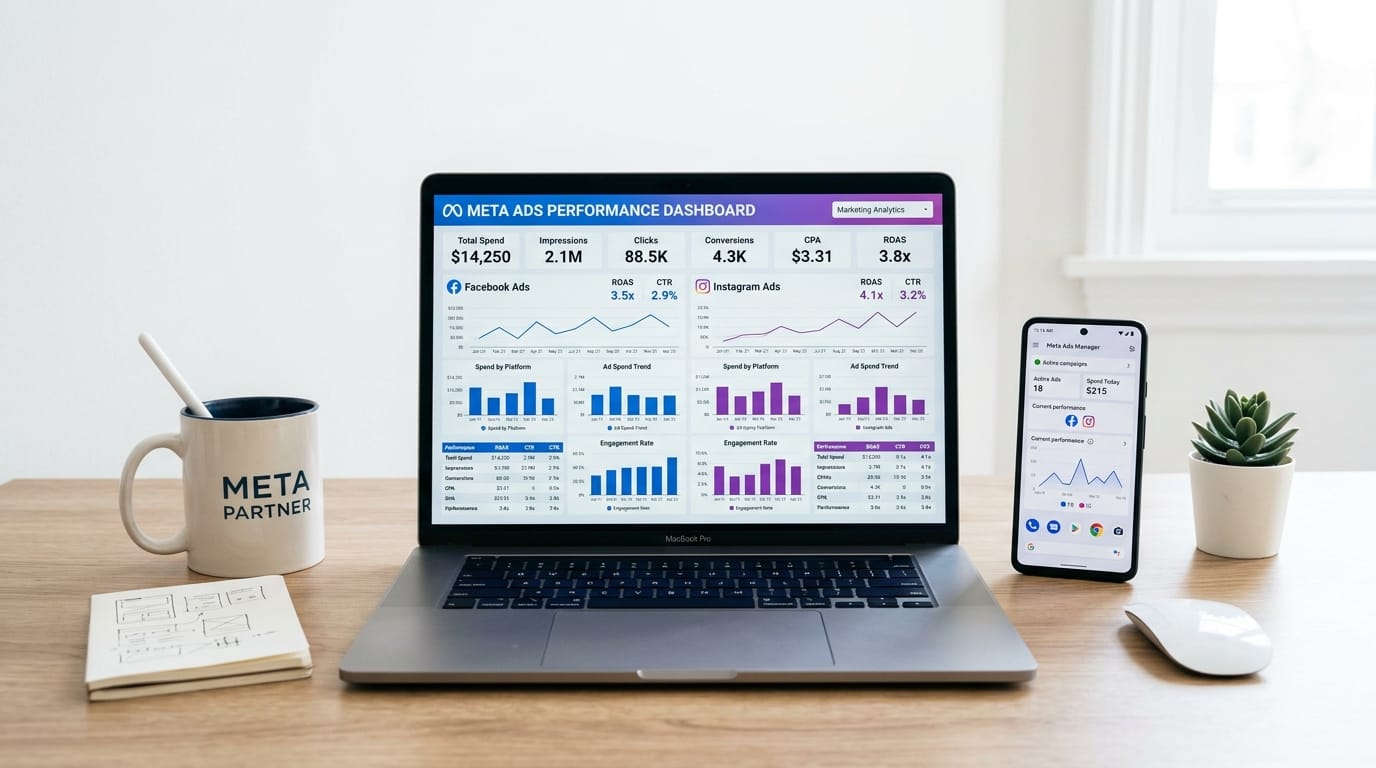
On April 29, 2026, Meta quietly shipped two things that change how paid-social work gets done. The first is an official Meta Ads MCP (Model Context Protocol) server. The second is a Meta CLI. Together they are branded as the Meta Ads AI Connectors, and they let you create, edit, and analyze Facebook and Instagram ad campaigns from inside any MCP-compatible AI assistant, including ChatGPT, Claude Desktop, Claude Code, and Codex.
Press coverage focused on the obvious headline: you can now run Meta campaigns by talking to a chatbot. The more interesting story is what Meta isn't exposing. The auction and Advantage+ optimization layer are deliberately out of scope. Meta is saying agents are clients of ad platforms, not replacements for them. This tutorial walks through the connectors end to end: what they are, how to install them in Claude Desktop and ChatGPT in under five minutes, what you can and can't do, and how they compare to the third-party MCP wrappers (Pipeboard, Adzviser, Windsor.ai) that shipped first.

TL;DR: On April 29, 2026, Meta launched the Meta Ads AI Connectors in open beta: an official Ads MCP server and a CLI that let you create, edit, and analyze Facebook and Instagram ad campaigns from inside ChatGPT, Claude, or any MCP-compatible AI assistant. Setup uses standard Meta Business OAuth (no Developer App required), it is free during beta, and it is available globally to businesses of all sizes. Source: Meta announcement, April 2026.
What Are Meta Ads AI Connectors?
Meta Ads AI Connectors are an official MCP server plus a Meta CLI, launched in open beta on April 29, 2026, that let advertisers create, manage, and analyze Facebook and Instagram ad campaigns from inside any MCP-compatible AI assistant. The connectors use standard Meta Business OAuth. There's no Meta Developer App to register, no API setup, and no coding required. Open beta is free and available globally to businesses of all sizes (Meta announcement, April 29, 2026).
The two artifacts cover different surfaces. The Meta Ads MCP server is the conversational path: install it once on any MCP-compatible assistant and you get natural-language access to your ad accounts. The Meta CLI is the scripting path: a command-line tool for batch operations, CI flows, and anything you'd rather express as a script than a prompt. Most marketers will start with the MCP. Engineers and ops teams will probably reach for the CLI more often.
The branding matters. "AI Connectors" is Meta's term for the category, not a single product. Expect more connectors over time: shopping, business messaging, and analytics surfaces are all plausible candidates. The April 29 launch is the first step. The interesting question isn't "will Meta open up to agents?" but "how fast will the rest of the ad-tech category respond?" Google has shipped fragmentary MCP tooling for analytics. TikTok hasn't. The first ad platform with a polished, write-capable, official MCP just established a new baseline.
The launch lands into a marketing function that has gone aggressively AI-native. Digital Applied's 2026 marketing AI report found that 91% of marketing professionals now actively use AI tools in their daily workflow, up from 88% the year before, and that median mid-market marketing AI tool spend rose from $1,200/month in Q1 2025 to $3,400/month in Q1 2026. A free, official, write-capable MCP from a major ad platform is exactly the kind of release that compresses that line item even as the underlying usage grows.
What Can You Actually Do Through the Connector?
The official Meta Ads MCP exposes roughly six functional categories: real-time campaign performance reporting, campaign and ad set creation, budget and targeting edits, product catalog management, audience insights, and pixel/signal health diagnostics. Both read and write are supported. You can pull a CPM-by-campaign table or duplicate an ad set with a new budget through the same conversational interface. (Source: Meta announcement.)
What's out of scope matters as much as what's in. You can't tell the agent to "optimize my campaigns" in any meaningful sense. The auction isn't exposed. Advantage+ Shopping, Advantage+ Audiences, and the underlying bidding model stay inside Meta. The connector is for the parts of paid-social work that are click-heavy and easy to express in language: pulling reports, duplicating ad sets, shifting budgets, checking pixel health. It isn't a back-door into the ranker.
That distinction is also Meta's clearest competitive answer to the "AI agents will replace ad platforms" narrative that has dominated paid-media discussion for the last twelve months. By shipping an official MCP that exposes management but not optimization, Meta is staking a position: agents are a client of the ad platform, not a substitute for it. Markacy co-founder Tucker Matheson made the same point bluntly to Digiday in April 2026: "AI APIs for real-time analysis of performance and creative testing will be valuable over time, but not for performance optimization as Meta's AI and algorithm will always be paramount."
How Do You Install the Meta Ads MCP in Claude Desktop?
In Claude Desktop, open Settings, navigate to Developer, click Edit Config, and add the Meta Ads MCP server entry to the mcpServers object. Save the file and restart Claude Desktop. The first time you invoke a Meta tool, Claude opens a browser window for Meta Business OAuth. Log in with the Meta account that has admin access on your ad account, approve the connection, and you are live. The whole flow takes under five minutes if you already have a Meta Business Manager set up.
The configuration entry follows the standard MCP shape. Verify the exact server URL and command from Meta's developer documentation, since beta endpoints may move:
{
  "mcpServers": {
    "meta-ads": {
      "command": "npx",
      "args": ["-y", "@meta/ads-mcp-server"],
      "env": {}
    }
  }
}
After restart, run a small read prompt to sanity-check the install. Something like "what's my CPM and CTR for the last 7 days, by campaign, sorted by spend descending" is a good first test. If the connector's wired up correctly, Claude returns a tabular response built from live ad-account data. If it fails, the most common causes are stale OAuth tokens (re-auth from Meta Business Settings), wrong account selection (the OAuth flow lets you pick which business portfolio to grant access to), or insufficient ad-account permissions on the Meta user you authenticated with.

This is the same general pattern we covered in our PPC audit walkthrough with Claude, but the ergonomics are now noticeably tighter because Meta is the one shipping the server instead of a third party wrapping the Marketing API.
How Do You Install It in ChatGPT and Other Assistants?
In ChatGPT, open the Connectors section (introduced as part of OpenAI's MCP rollout earlier in 2026), add the Meta Ads MCP server, complete Meta Business OAuth, and the same toolset becomes available in any ChatGPT conversation that has Connectors enabled. The same MCP server works for Claude Code, Codex, and Cursor with a one-line config addition. That is the universal property of the Model Context Protocol: install once on the server side, every compliant client gets it.
For Claude Code (and any CLI-shaped MCP client), the install is even shorter:
# From the project root, or your home directory
claude mcp add meta-ads -- npx -y @meta/ads-mcp-server

# Then activate in any Claude Code session
/mcp
The CLI path is the right choice for two situations. The first is scripting: bulk operations across many ad accounts, scheduled budget shifts, or programmatic catalog updates that you want in a Git-tracked script rather than a chat history. The second is CI: build pipelines that need to read campaign metrics or update creatives as part of a release flow. Conversational MCP is for ad-hoc work. The CLI is for repeatable work.
Three Real Prompts That Exercise the Connector
Three prompts cover most of the value surface. The first reads, the second diagnoses, the third writes. Together they sanity-check the install end to end and tell you within ten minutes whether the connector belongs in your weekly workflow.
- Reporting: "Show me last 7 days spend, CPM, and CTR by campaign for ad account [account ID], sorted by spend descending. Highlight any campaign with CPM more than 30% above the account average."
- Diagnostic: "Are any of my pixel events showing signal-quality issues this week? Group findings by event name and surface anything Meta is currently flagging as low quality or low match rate."
- Edit (write): "Duplicate my best-performing ad set in the Spring 2026 campaign. Set the new budget to $25/day, change the headline to test variant B, and pause the duplicate so I can review before launch."
The pattern that matters across all three is structured input, structured output. The agent doesn't invent metric names. It doesn't guess at IDs. It reflects back what it found in the ad account, which is precisely the discipline you want when an LLM is touching production billing. The third prompt is also worth flagging on its own: pausing the duplicate before launch is the right safety habit for any write action. Treat the agent like a junior media buyer who's technically capable but new to the account.
Is It Safe to Connect an AI Assistant to Your Meta Ad Account?
Yes, with the standard caveats. The connector uses Meta Business OAuth scoped to the ad-account permissions you already control. There's no Developer App to register, no API key handling, and no third-party intermediary holding your credentials. You can revoke access from Meta Business Settings at any time, which immediately invalidates the agent's tokens (Meta announcement, April 29, 2026).
The realistic risks aren't credential theft. They're accidental write actions you didn't mean to take (an agent confidently duplicating a campaign with the wrong budget) and unintentional data exposure (an agent reading audience insights into a chat history that may be retained by ChatGPT, Claude, or your enterprise LLM provider). Both risks are manageable with two habits.
Our reading: Spend the first week in read-only mode. Approve only reporting prompts and refuse any prompt that would write. After a week, you will have an intuitive sense of how the agent phrases its intent before acting, and you can graduate to writes with confidence. Agencies should run the connector on a low-spend test account or a single low-stakes client first, never on the largest account in the portfolio. The cost of waiting a week is one week. The cost of a confidently wrong write on a six-figure budget is much more than that.
One more operational note for agency users. Confirm where chat history is retained for whichever assistant you use. ChatGPT, Claude, and most enterprise LLM platforms have explicit retention controls. Audience insights, conversion data, and customer-list audiences are sensitive enough that the answer to "where does this end up" matters before you start pulling them through an MCP.
How Does It Compare to Pipeboard, Adzviser, and Windsor.ai?
Third-party MCP wrappers shipped first. Pipeboard, Adzviser, Windsor.ai's one-click Claude integration, and Ryze all built business models around the gap that the official Meta MCP now partly fills. The official connector is free during beta, requires no third-party intermediary holding your OAuth tokens, and exposes write capabilities those wrappers usually charged extra for. The wrappers still win on one dimension: cross-platform reporting that combines Meta with Google, TikTok, LinkedIn, and others into one MCP, with prebuilt dashboards on top.
The decision rule is straightforward. Use the official Meta MCP when your workflow is Meta-only, you want write actions, and you prefer free. Stick with a third-party wrapper when you genuinely need cross-platform analytics in one connector, when you've already invested in a wrapper-specific dashboard, or when your team standardized on a wrapper before this launch and the switching cost outweighs the savings. For a different angle on the wrapper economics, our review of Windsor.ai's reporting workflow is still the cleanest take we've published on the multi-platform reporting case.
Should You Use the Meta Ads MCP?
Use the Meta Ads MCP if you spend more than ten hours a month inside Meta Ads Manager, if you already pay for ChatGPT Plus or Claude Pro, or if your reporting workflow involves repetitive bulk pulls. Skip it for now if your campaigns are heavily Advantage+-managed (the agent can't touch the optimization layer that drives those results), if your team hasn't deployed an AI assistant yet, or if your internal data-handling policies haven't yet covered LLM chat-history retention.
The wedge is timing. Talkwalker's 2026 state of agentic AI in marketing found that 34% of enterprise marketing teams now run at least one autonomous agent in production, more than double the 14% reported in Q4 2025. A free, official, write-capable connector from a major ad platform is exactly the kind of release that pulls the remaining 66% into trying one, and Meta is clearly first to claim that ground.
| Situation | Fit | Why |
|---|---|---|
| PPC consultant or agency on multiple Meta accounts | Strong | Bulk operations and reporting compress dramatically |
| In-house team with frequent budget shifts | Strong | Natural-language edits beat the Ads Manager bulk editor |
| Growth marketer who lives in spreadsheets | Strong | Conversational pivots replace 80% of manual exports |
| Pure Advantage+ Shopping account | Limited | Optimization layer is not exposed to the agent |
| Multi-platform reporting (Meta + Google + TikTok) | Use a wrapper | Pipeboard / Adzviser / Windsor.ai still win this case |
| No AI assistant deployed yet | Skip for now | Set up Claude Desktop or ChatGPT Connectors first |
The broader strategic context worth holding onto: Meta is responding to the "agents will replace ad platforms" narrative by saying agents are clients of ad platforms. The connector exposes the parts of the work that are click-heavy and language-friendly. It does not expose the parts (the auction, the bidding model, the ranker) that are Meta's actual product. That framing tells you exactly which workflows to migrate and which to leave alone. (For a related take on what AI does and does not actually do well in paid media, see our honest take on AI running ads versus analyzing them.)
Frequently Asked Questions
What are Meta Ads AI Connectors?
Meta Ads AI Connectors are an official Meta Ads MCP server and a Meta CLI launched in open beta on April 29, 2026. They let you create, manage, and analyze Facebook and Instagram ad campaigns from inside any MCP-compatible AI assistant, including ChatGPT, Claude Desktop, Claude Code, and Codex. The connectors are free during the open beta and available globally to businesses of all sizes (Meta announcement, April 2026).
Can ChatGPT run my Meta ad campaigns?
Yes. Once you add the official Meta Ads MCP server to ChatGPT's Connectors and complete Meta Business OAuth, ChatGPT can pull performance reports, edit budgets, duplicate ad sets, and create campaigns through natural-language prompts. Auction-side optimization stays inside Meta's Advantage+ system and is not exposed to the agent (Meta announcement, April 2026).
Is the Meta Ads MCP server free?
Yes during the open beta. The Meta announcement on April 29, 2026 stated the connectors are available globally to businesses of all sizes at no cost during beta. Meta has not yet announced post-beta pricing or an end date for the free phase, so check the official documentation before depending on free access for the long term.
How is this different from Pipeboard, Adzviser, or Windsor.ai?
Those are third-party MCP wrappers that shipped before Meta's official launch and typically charge subscription fees. The official Meta MCP is free during beta, requires no third-party intermediary, and supports write actions natively. Wrappers still win on multi-platform reporting that combines Meta with Google, TikTok, and other platforms in one connector.
The Bottom Line
The Meta Ads AI Connectors are the most consequential paid-media product of 2026 so far, and the headline most coverage led with undersells the story. Yes, you can now run Meta campaigns from ChatGPT or Claude. The deeper signal is that Meta has formally accepted the agent layer as part of the ad-platform stack and shipped a free, write-capable, official MCP that puts a hard line around what agents touch (management) and what stays inside Meta (optimization). That line will become the template every other ad platform follows over the next twelve months.
If you're a paid-media practitioner, the ten minutes it takes to install the MCP in Claude Desktop and run the three sanity-check prompts is the highest-impact use of your time this week. Connect a low-stakes account, run reporting, run a diagnostic, run one careful write, and report back what broke. The connector's in beta. The only way it gets better is the feedback loop from people who actually use it on real ad accounts.
Comments