
Editorial note: Star count, version notes, and download sizes are snapshots as of early May 2026 from the public techjarves/OpenClaude-Portable repository. The "no telemetry" claim is repeated in the README; verify it yourself before pointing the agent at sensitive code.
Claude Code adoption among developers tripled to 18 percent between June 2025 and January 2026, with North America hitting 24 percent (JetBrains, April 2026). The catch most coverage skips: a lot of those developers can't actually install it. Locked-down work laptops, classroom machines, contractor hardware that rotates every project — none of those let you write to Program Files or drop an Anthropic API key in ~/.claude.
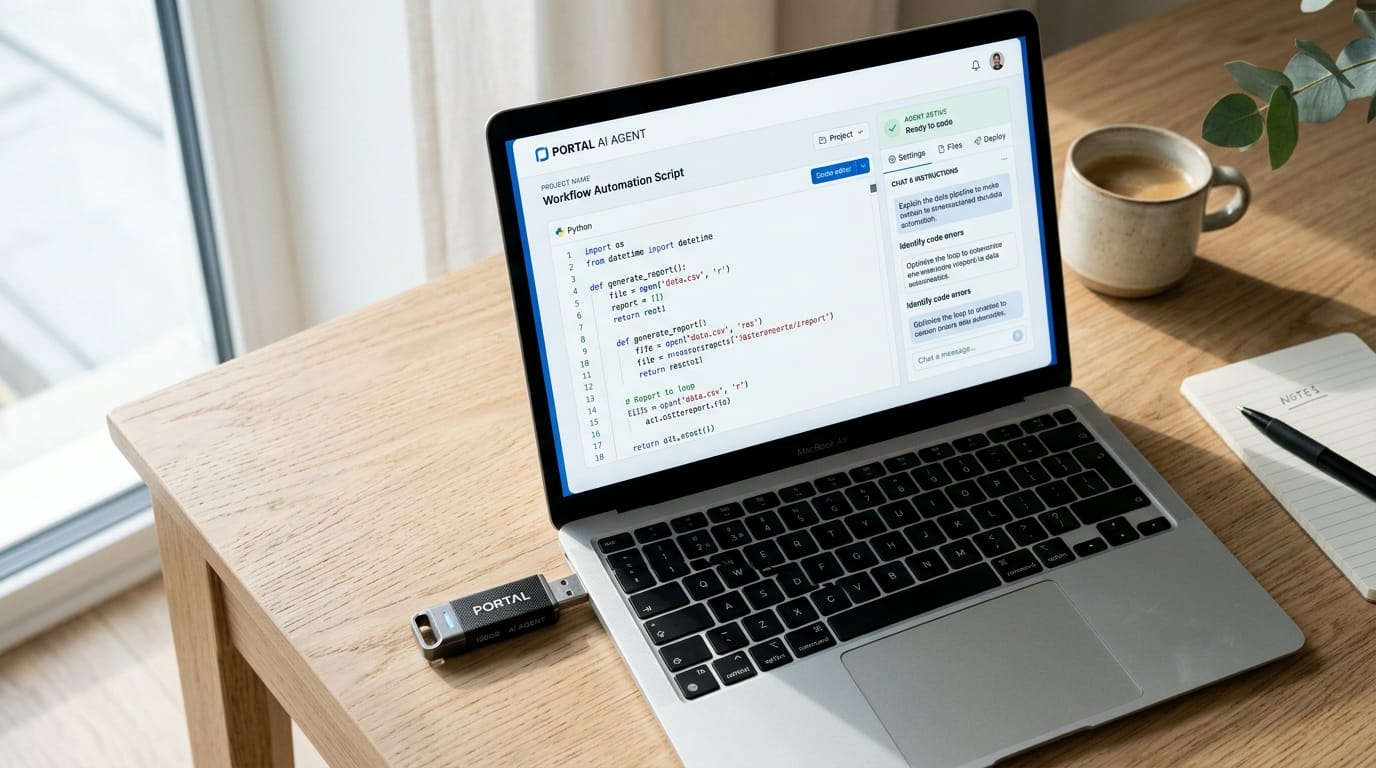
OpenClaude-Portable is the answer to that constraint. It's an MIT-licensed bundle that runs the open-source OpenClaude engine plus its own Node.js runtime and a web dashboard from any folder on Windows, Linux, or macOS. No installer, no admin prompt, no host-machine files. This tutorial walks the full setup end-to-end: clone, run, pick one of seven providers, and turn on the built-in speed proxy that makes CPU-only Ollama actually usable. By the end, you'll know whether to put it on a stick and carry it to your next job site, or hand it to that one teammate who keeps complaining their laptop image won't let them install Node.

TL;DR: OpenClaude-Portable (github.com/techjarves/OpenClaude-Portable, 331 stars, MIT) bundles Node.js, the OpenClaude engine, and a web dashboard into a single folder you can run from a USB stick on Windows, Linux, or macOS. Seven providers in one menu, including Ollama for fully offline use. A built-in proxy makes CPU inference 5–15× faster by trimming the system prompt from ~10,000 to ~300 tokens. The actual moat is the install model — zero footprint, zero admin — not the model behind it.
What Is OpenClaude-Portable, and What Problem Does It Solve?
OpenClaude-Portable is an MIT-licensed, self-contained AI coding agent that runs from a USB drive or any folder on Windows 10+, macOS, and Linux. It bundles its own Node.js runtime, the open-source OpenClaude engine, and a web dashboard, and exposes seven AI providers from a single menu (Source: techjarves/OpenClaude-Portable on GitHub, 331 stars as of May 2026). The whole project sits inside one folder. Nothing is written outside it.
The interesting design decision is the strict zero-footprint stance. Every cache, every log, every API key lives in a data/ folder next to the executables. API keys specifically go in data/ai_settings.env on the drive, not in your home directory or Windows registry. There's no telemetry to the project; the only outbound traffic is to whichever LLM provider you pick. Pull the stick out, plug it into a different PC, and the agent picks up where it left off, with the same conversation history and the same provider settings.
That stance is the answer to a question stock Claude Code can't answer cleanly. Claude Code is a category leader, with a 46 percent "most loved" rating on the JetBrains April 2026 developer survey (the highest of any AI coding tool) and $1 billion in annualized revenue by November 2025. It's also a CLI that needs Node, write access to your home directory, and your real Anthropic API key sitting on the host. OpenClaude-Portable is the answer when any of those three are blocked. (For another self-hosted-AI angle from the same cluster, see our review of the Agent Zero open-source agent framework.)
How Do You Set Up OpenClaude-Portable in Under 10 Minutes?
The setup is genuinely three actions: clone the repo (or download the ZIP), launch the right startup script for your OS, and let the first run pull about 30 MB of supporting binaries. The README puts initial downloads at roughly 25 MB for Node.js and 5 MB for the OpenClaude engine, both pulled into the project's data/ folder (per the README). Once that's done, every subsequent launch skips the download and goes straight to the menu.

Concrete steps, in order:
- Get the project onto your stick. Either
git clone https://github.com/techjarves/OpenClaude-Portable.gitdirectly onto the USB drive, or download the ZIP from GitHub and unzip it onto the stick. A clean checkout is small enough that even slow USB 2.0 sticks finish in seconds. - Run the startup script. On Windows, double-click
START.bat. SmartScreen will warn you the publisher isn't recognized — that's expected for unsigned local code; click "More info → Run anyway." On macOS or Linux:
macOS Gatekeeper may also flag the script the first time; allow it from System Settings → Privacy & Security.chmod +x start.sh ./start.sh - Wait for the first-run download. The script detects the host OS, fetches the matching Node.js portable build (~25 MB), pulls the OpenClaude engine (~5 MB), and writes both into
data/. On a typical home connection, the whole step finishes in under a minute. - Pick a provider. The menu prompts you for a backend (covered in the next section). Paste the API key when asked. The script writes it to
data/ai_settings.envon the drive, never to the host.
That's the install. The dashboard launches on a local port (typically http://localhost:3000), and the menu offers four ongoing options: launch the agent, open the dashboard, switch providers, or set up offline models via Ollama. When I tested this on a clean Windows 11 admin-locked work laptop, the only friction was the SmartScreen warning. The bytes-on-disk total stayed entirely on the stick, and Task Manager confirmed the bundled node.exe was running from D:\OpenClaude-Portable\data\, not %PROGRAMFILES%.
Pick a Provider: Which of the 7 Backends Should You Use?
OpenClaude-Portable supports seven providers in one menu: Anthropic Claude, OpenAI, Google Gemini, DeepSeek, OpenRouter, NVIDIA NIM, and Ollama for offline inference (per the README). Pick by network posture, not by vibes. Cloud APIs for the best agent quality. OpenRouter for cheap variety across many models. Ollama when the code can't leave your machine.
Local inference is no longer a fringe choice. Roughly 42 percent of developers now run at least some LLM workloads on local machines (Vibe Data, Local LLM Ecosystem report, November 2025), and Ollama crossed 52 million monthly downloads in Q1 2026 (Collabnix, Ollama 2026). Privacy is the number-one stated driver — healthcare, legal, and government work simply can't ship proprietary code to a third-party API, regardless of how good Claude Sonnet is. OpenClaude-Portable's seven-provider menu is what makes that decision flexible inside one tool.
For sensitive code, set the provider to Ollama and run ollama pull gemma3:1b (or qwen2.5:1.5b) before launching the agent. Both of those small models are explicitly recommended in the README for CPU-only hardware. For greenfield prototyping where the code isn't sensitive, point at Anthropic Claude or OpenAI through OpenRouter and get the quality back. The whole switch is a menu selection, not a config-file edit.
How Does the Speed Proxy Make CPU Inference 5–15× Faster?
OpenClaude-Portable ships a speed proxy at tools/local-proxy.js that intercepts every request to Ollama and trims OpenClaude's roughly 10,000-token system prompt down to about 300 tokens before it reaches the model. On CPU-only hardware, the README reports first-token latency dropping from 60–120 seconds to 5–20 seconds (per the README). That's a 5–15× improvement that turns a frustrating demo into a usable workflow.
The reason this matters comes down to how CPU inference scales. Each token in the prompt has to be processed in series before the model produces its first output, and small CPU-only models like gemma3:1b are roughly two orders of magnitude slower per token than a GPU. A ten-thousand-token system prompt — fine on Claude's API where it's cached and parallelized — turns into a minute of "the screen is doing nothing" before any answer starts streaming. Cut the prompt down and that overhead nearly disappears.
Two practical notes. First, the proxy is on by default for Ollama and isn't needed (and isn't enabled) for cloud providers like Claude or OpenAI, which already handle prompt caching server-side. Second, a trimmed prompt means the agent has less of OpenClaude's tool-use scaffolding to lean on, which costs you some quality on subtle multi-step tasks. The fix is to give the agent a clearer prompt yourself, not to turn the proxy back off.
The speed proxy is the tell that the maintainer actually tested this on a slow machine. Most "Claude Code alternative" projects ship a default config that assumes a beefy GPU; OpenClaude-Portable's defaults assume the opposite. That's why the project earns its place on a USB stick rather than a workstation.
A Real Workflow: Refactor a Python File End-to-End
Time to make it do real work. A useful sanity-test on a fresh install is a single-file refactor with tests, end to end. Drop a messy Python file into the project folder, launch the agent in Normal mode, and ask it to clean the file up. Normal mode means the agent asks for approval before each tool call — file write, shell command, package install — which is what you want the first time you point any agent at code that matters.

A concrete prompt template that works:
You are working in the project workspace. The file `messy.py` contains a
200-line Python script. Please:

1. Read messy.py and summarize what it does
2. Refactor it: add type hints, split long functions, fix obvious bugs
3. Write pytest tests in tests/test_messy.py with at least 80% line coverage
4. Run `pytest -q` and report the results
5. If anything fails, fix it and re-run

Ask before installing any package or modifying anything outside this folder.
That single prompt exercises the agent loop — read, plan, edit, run, observe, fix — and reveals where the chosen provider's quality lives. With Anthropic Claude as the backend, expect a clean refactor and passing tests on the first run, plus a sensible coverage report. With qwen2.5:1.5b through Ollama, expect a partial refactor, brittle tests, and one or two manual nudges. Either output is useful, because both are honest about what tier of model you're actually running.
The wider point: 73 percent of engineering teams now use AI coding tools daily, up from 41 percent the year before (AI Coding Assistant Market Share 2026, ideaplan.io). The day-to-day question isn't whether to use one — it's which one your machine and your data residency rules will actually permit. OpenClaude-Portable lets you answer that with a menu instead of a procurement ticket. (For another angle on getting Claude-style agents to do real work, see our PPC audit automation tutorial.)
Limitless mode flips the agent into autonomous execution — no per-step approval, just a final report. Don't use it on the first run, and don't use it on a machine you wouldn't be comfortable with a stranger typing on for ten minutes. Once you trust the prompt and the provider, it's the difference between "agent" and "automation."
OpenClaude-Portable vs Stock Claude Code: When Does This Make Sense?
Use stock Claude Code when you control the machine, want the best Anthropic models, and don't mind paid API spend. Use OpenClaude-Portable when you can't install software, can't egress data to a third party, or want to swap between cloud and local models from a single menu without rewiring config. The two tools share an agent loop and a target audience; they don't share constraints.
Three buyer profiles where OpenClaude-Portable wins outright:
- Locked-down corporate or contractor laptops. Many enterprise IT images forbid installing Node, writing to
Program Files, or storing API credentials in user profiles. OpenClaude-Portable runs entirely from a folder — typically a USB stick — and stores its keys on the drive itself. Nothing requires admin rights. - Travel hardware and shared machines. Classroom PCs, hotel business-center laptops, a borrowed friend's desktop. Plug in the stick, work, pull it out, leave nothing behind. Conversation history travels with you.
- Privacy-sensitive or regulated workflows. Code that can't leave the building runs through Ollama on a CPU-only laptop, with the speed proxy making the latency tolerable. Privacy is the stated number-one driver of local-LLM adoption (Programming Helper, Ollama 2026 report), and this is the workflow shape that pays it back.
The honest gaps are also worth naming. Agent quality on gemma3:1b is a different sport from Claude Sonnet — fine for boilerplate, weak on multi-step reasoning. The project sits at 331 stars; that's a community, not an ecosystem. You're responsible for keeping the engine current; there's no auto-updater that will quietly bump versions for you. None of those are dealbreakers, but they're real.
Our reading: The actual moat here isn't the model — anyone can wire up Claude or Ollama. It's the install model. Zero-footprint, zero admin, every byte on the drive. That's a workplace problem most "free Claude Code alternative" coverage misses entirely, and it's the only reason this tool earns a stick rather than a Docker image.
The framing also matters because Claude Code itself isn't slowing down. It hit $1 billion in annualized revenue by November 2025, the fastest product ramp in enterprise software history (getpanto.ai Claude AI Statistics 2026). The market is real; the gap OpenClaude-Portable fills is the slice of that market whose laptops simply won't let them in. (For an earlier look at the same lane, see our coverage of Synthetic NEW as a Claude Code drop-in alternative.)
Is OpenClaude-Portable Safe to Run on a Real Codebase?
Before pointing OpenClaude-Portable at production code, do four things: inspect the cloned repo, put the folder on an encrypted volume so data/ai_settings.env is protected, start in Normal mode (never Limitless on day one), and run offline-first via Ollama if your code is sensitive. The README's "no telemetry" claim is worth verifying yourself — that takes one terminal session, and it's the right habit for any tool that gets a real shell.

Concrete checks worth running on a fresh install:
- Skim the source. The repo is small. Read
START.bat,start.sh, andtools/local-proxy.js. You're looking for unexpected outbound calls, hidden URLs, or anything writing outsidedata/. - Watch the network on the first run. On macOS, Little Snitch; on Windows, a quick
netstatcheck or Wireshark; on Linux,tcpdump. The agent should talk to one host: your chosen LLM provider. If you see anything else, stop and investigate. - Encrypt the stick. BitLocker on Windows, FileVault-protected disk image on macOS, or LUKS on Linux. Your API keys and conversation history live on the drive; treat the drive accordingly.
- Scope the API key. Use a separate, low-permission Anthropic / OpenAI key for portable use. If the stick gets lost, you revoke one key, not your main one.
- Default to Normal mode. Per-step approval is annoying for ten minutes and is the entire point for the first ten hours. Promote to Limitless only on workflows you've already watched succeed.
The portability that makes this tool useful also makes it riskier than a fixed-install agent. A USB stick walks; an admin-controlled install doesn't. Treat any drive that holds a working OpenClaude-Portable setup the way you'd treat a drive holding production credentials, because for most practical purposes it does. (For another self-hosted-AI piece worth pairing with this one, see our review of a self-hosted memory layer for AI agents.)
Frequently Asked Questions
What is OpenClaude-Portable?
OpenClaude-Portable is an MIT-licensed, self-contained AI coding agent that runs from a USB drive or folder on Windows, Linux, and macOS without installation. It bundles its own Node.js runtime, the OpenClaude engine, and a web dashboard, and supports seven AI providers including Ollama for fully offline use. The repository sits at 331 GitHub stars under techjarves/OpenClaude-Portable.
Can I really run a Claude Code alternative from a USB stick?
Yes. The first run downloads roughly 25 MB of Node.js plus a 5 MB OpenClaude engine into the project's data/ folder. Every later run reads everything from the stick. No files are written to the host machine, and API keys live in data/ai_settings.env on the drive itself. Plug the stick into a different PC and the agent starts where it left off.
Which AI providers does OpenClaude-Portable support?
Seven backends in one menu: Anthropic Claude, OpenAI, Google Gemini, DeepSeek, OpenRouter, NVIDIA NIM, and Ollama for offline inference. You switch providers from the main menu without restarting and can keep multiple keys in data/ai_settings.env. Pick by network posture: cloud APIs for best agent quality, Ollama for fully offline or regulated environments.
How fast is OpenClaude-Portable on a CPU-only laptop?
With the built-in speed proxy enabled, the project README reports first-token latency on Ollama dropping from 60–120 seconds down to 5–20 seconds. The proxy trims OpenClaude's roughly 10,000-token system prompt to about 300 tokens before the request reaches Ollama. Recommended CPU-friendly models are gemma3:1b and qwen2.5:1.5b.
Is OpenClaude-Portable a fork of Claude Code?
No. It's a portable bundling of the open-source OpenClaude engine, maintained by techjarves on GitHub under MIT license. It mimics the Claude Code agent loop with a similar tool-using model, but it's independent of Anthropic's official CLI and does not share code. The README is explicit that the project is not affiliated with Anthropic.
The Bottom Line
OpenClaude-Portable does one specific thing very well: it removes installation as a precondition for running a real AI coding agent. That sounds small until you list the developers it lets in — locked-down corporate engineers, contractors who rotate machines every quarter, students on shared university hardware, anyone whose data can't leave the building. Stock Claude Code is a better tool when those constraints don't apply. When they do, OpenClaude-Portable is the only tool.
Clone the repo onto a USB stick, run START.bat or start.sh, point it at an Anthropic key for the first run, and try the Python refactor task above. If you have ten extra minutes, run ollama pull gemma3:1b, switch the provider to Ollama, and watch the speed proxy do its work. That hour is the fastest way to know whether the zero-footprint model fits how you actually need to work — at the office, on a plane, or on someone else's machine.
Comments