104GB model on a 48GB Mac: local LLM setups that work
slotstream streams a 104GB MoE model from SSD into a 48GB Mac at about 12 tokens a second. See the measured speeds on four real Macs, checked September 2026.
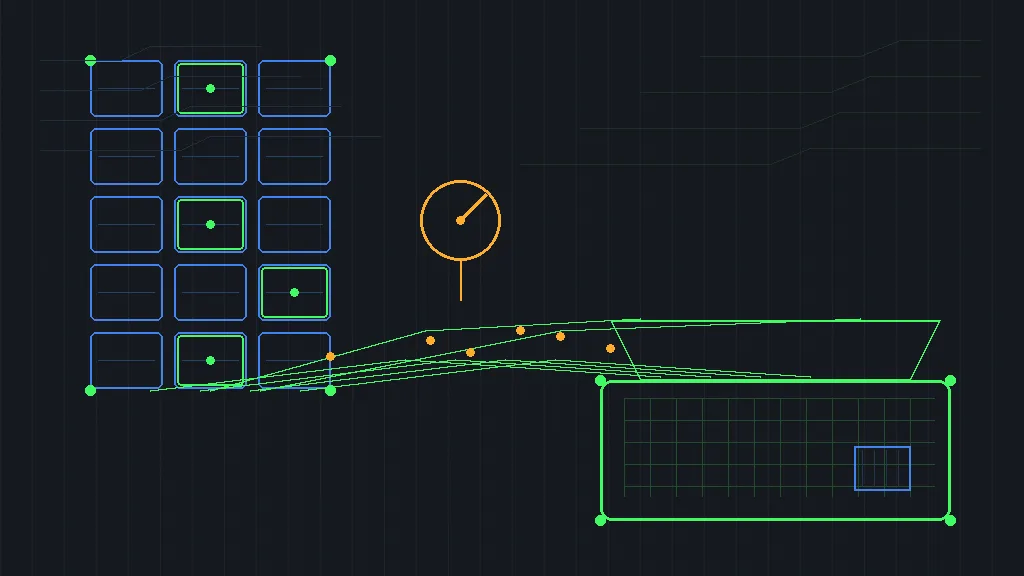
A 104GB model does not fit in 48GB of memory, and that arithmetic usually ends the local LLM conversation. On September 1, a developer going by carloslfu posted a Mac tool called slotstream that ignores it. It ran Qwen3.8-Flash-Next, a 125B mixture-of-experts model, on a 48GB MacBook Pro at roughly 12 tokens a second. The Show HN post drew 240 points and 118 comments as of September 12 (HN). If you have been waiting for local LLM setups to get concrete, this thread is it.
A disclosure first: I have not run slotstream, because it is Mac-only and my test box is a Linux VPS. Everything below comes from the repo’s docs, its measurement issues, and the Show HN thread, checked September 12, 2026.
NoteEvery speed in this post is the repo’s own measurement or a community report from its docs, not my hands-on run. The docs separate measured rows from planner estimates, which this post keeps visible too.
What slotstream actually does
The mechanism is expert streaming. Qwen3.8-Flash-Next is a mixture-of-experts model, which means each generated token uses only a subset of its expert networks. Slotstream keeps the shared weights in unified memory. It caches the frequently used experts and reads the rest from SSD on demand. The weights are 48 layers with 512 experts per layer, about 104-105GB at 4-bit (repo). The author’s 48GB machine caches about 152 experts per layer, while a 16GB Mac mini plans for 21.
The tool is Mac-native: built on MLX and Swift, MIT-licensed, and at v0.2.15 as of September 11, 2026. It shows 348 stars. The model it serves is mainstream elsewhere. HuggingFace lists it at 604,992 downloads and 5,129 likes as of September 12 (HF). You need an Apple Silicon Mac on macOS 14 or later, plus about 110GB of free SSD. The one-time download takes hours and resumes when interrupted (README). Windows, Linux, and Intel Macs are not supported, though the maintainer says a port may come.
Install is one curl command, and slotstream doctor checks memory and disk without loading anything. The server speaks Ollama- and OpenAI-compatible APIs, so the chat app or agent you already use can point at it. A recent release added an MTP draft head. The author reports 86% acceptance and about 1.24x faster decoding on his 48GB Mac. The planner sizes a memory target automatically, while the docs admit where estimates missed. The 16GB and 32GB rows landed below plan, and the 128GB row beat it.
The speeds, measured on real Macs
Four public measurements bracket the experience with a 15x spread, because machine shopping by RAM size alone misleads.
| Mac | Memory | Warm decode | Reported by |
|---|---|---|---|
| MacBook Pro, M5 Max | 128GB | 21-22 tok/s with MTP | issue #6 |
| MacBook Pro, M5 Pro | 48GB | ~12 tok/s, 12.8 with MTP | HARDWARE.md |
| MacBook Air, M5 | 32GB | 6.22 tok/s | issue #12 |
| Mac mini, M2 | 16GB | 1.41 tok/s | issue #5 |
These are warm-decode figures, which the docs define as the third identical request to a running server. First replies cost more, because the server must chew through your prompt and history before the first token. The extremes carry the real lesson. One commenter ran the model from a USB drive on a 16GB Mac mini and got 0.5 tok/s. The disk maxed near 400 MB/s, so disk speed acts as the second memory bus here. Chip, SSD, and free memory all matter, while memory size alone predicts little, exactly as the docs warn.
What 12 tok/s is actually usable for
Twelve tokens a second is slower than most chat models, and the thread agreed on where that lands. The most useful practical answer came from one commenter: “Unpleasant for interactive agentic work. Still useful to leave it to do some work in the background.” That maps cleanly onto marketing workloads. Batch jobs tolerate the speed, since tagging 2,000 rows overnight does not mind 40 seconds a row. Interactive drafting does not, because you feel every token while you wait.
Long prompts are the cost nobody prices in. The README warns that prefill on long histories can take minutes, and the community data backs it. The 32GB Air prefilled an 8,192-token pass at 126 tok/s. That sounds quick until you multiply it across a long conversation. Follow-up turns reuse unchanged history, so a long chat gets cheaper after the first turn. One generation runs at a time, and connected apps share it. Whatever you route through a local model still needs a review gate before it reaches a client. It is the same human-in-the-loop gate every agent workflow on this site uses.
Before you run the installer: the local LLM setup checklist
Check these before you commit an evening to the download:
- Your Mac is Apple Silicon with macOS 14 or later.
- You have about 110GB of free SSD space, because the weights live on disk permanently.
- Your workload tolerates background speed and minutes-long prefill on long histories.
- Your tools can point at an Ollama- or OpenAI-compatible endpoint, or you will use the bundled chat.
WarningThe 110GB floor does not shrink, and an 8GB Mac swaps so hard the whole computer slows down. Swap writes are the wear story worth watching here, while model reads barely register.
The SSD question came up directly, and the honest answer is layered. Asked whether the streaming destroys a drive, the author replied “I don’t know actually. I’ll check haha.” Reads wear flash negligibly, one commenter explained, though modern drives must persist their read-counter updates somewhere. The sharper risk is macOS swap on a low-memory machine. One commenter pegged it near 900GB of writes a day on a small Mac idling under memory pressure. Keep memory headroom, and the wear question mostly answers itself.
Integration is the other catch. The repo’s status section admits image input and tool calling have integration tests but no broad accuracy benchmark. A user hit errors connecting the Hermes agent in issue #11. The result was a working integration doc plus live support from the maintainer. Expect rough edges when you wire it into your stack, because this is a v0.2 project despite the polish.
Five near-identical repos, and how to pick
Slotstream is not alone in this idea, which is the critique the thread led with. A top commenter listed five projects doing essentially the same thing: mlx-moe-offload, streamlx, mlx-moe, mlx-flash, and deepseek-v4-flash-mlx. The argument stings because it is partly true. AI-assisted coding makes a new repo cheap, so the ecosystem keeps rediscovering one idea. The author’s defense is scope. Slotstream optimizes memory for this specific model, while general engines like oMLX chase breadth. He has committed to publishing a benchmark comparison table.
The pick rule follows from that exchange. Choose slotstream for the tested installer and the measured table, because that is what it ships. Choose an engine for model breadth, since you will assemble benchmarks yourself. Whichever you pick, verify its numbers first, because these docs flag their own misses.
What a marketing team would actually do with this
The realistic deployment is a batch worker that never phones home. A 48GB Mac already sitting in the office becomes a private summarizer, tagger, and report assembler overnight. Interactive work stays on APIs. That split mirrors the local-first AI stack argument, which exists for data that cannot leave the building. It also pairs with the build-vs-buy math for fast open-weight APIs. Sensitive data favors the local box, because the alternative is sending the bytes somewhere. Interactive or deadline-driven tasks stay on the API, since a 40-second wait per row is a real cost. For the same trade in audio, see local voice cloning without the credit meter.
The Bottom Line
- Slotstream streams a ~104GB MoE model from SSD into 48GB of Mac memory at about 12 tok/s, while four community measurements span 1.41 to 22 tok/s.
- Disk speed is the hidden spec, because a USB-drive setup crawled at 0.5 tok/s while internal SSDs flew.
- Match the job to the speed: batch work fits, while interactive drafting belongs on an API.
- The wear risk worth watching is swap, not model reads, so leave memory headroom.
- It is one model on one platform at v0.2, so treat the measured hardware table as the real product.
Filed under tools, which is where local setups become team decisions on this site.